How ShipKasa Saves You Money with Automatic Cubic Pricing
May 18, 2026 5 min read

Most eCommerce brands ship by weight and overpay every time. Learn how USPS Cubic Pricing works, whether your packages qualify, and how Shipkasa applies it automatically on every shipment.
If you have been shipping by weight your whole career, you are not alone. Heavier package, higher cost — that's the standard logic, and it's how most eCommerce brands have always operated. But there's a lesser-known USPS rate structure that's quietly saving brands 20–30% every month, it's called Cubic Pricing. Most sellers either don't know about its existence or aren't applying it consistently. But Shipkasa finds and applies cubic pricing automatically on every eligible shipment, every time. Read more to learn exactly how it works.
What Is USPS Cubic Pricing?
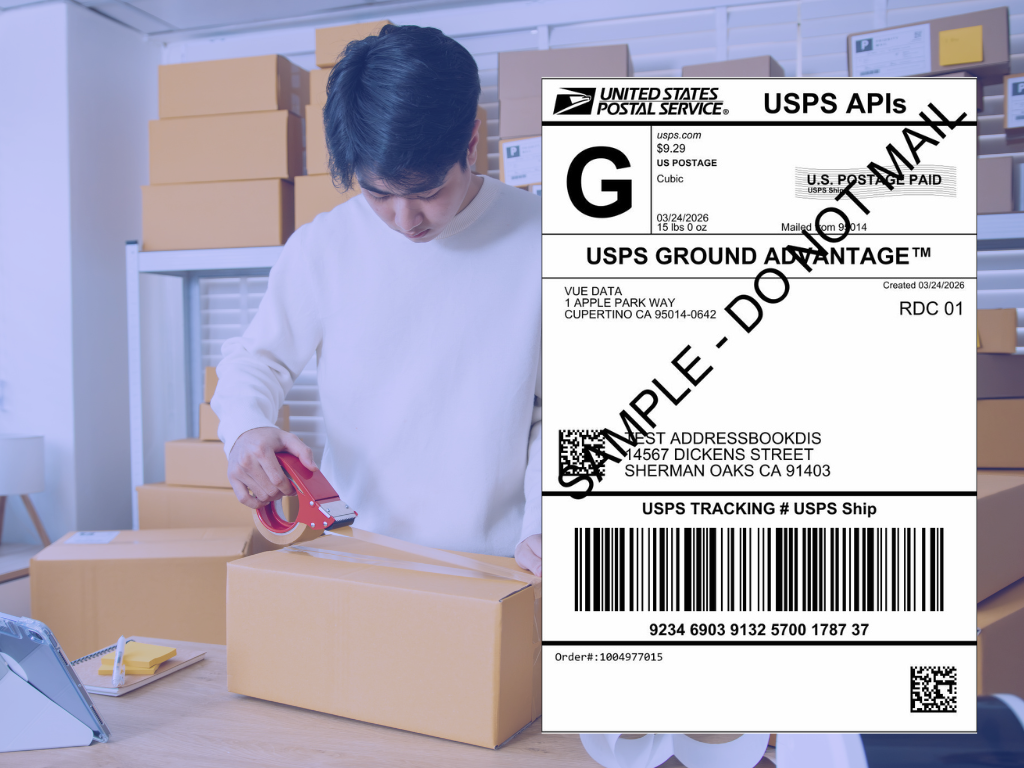
Cubic pricing is an alternative rate model offered by USPS that charges based on a package's size rather than its weight. Why does this matter? Because a lot of what eCommerce brands ship is light but bulky. Think of a heavier item in a small box. It doesn’t take up much space, but standard pricing still charges more because of the weight. Cubic pricing considers space, making it more cost-efficient.
The catch: you only benefit if your package actually qualifies. And most sellers either don't know the criteria, don't check, or check manually — which means they miss it constantly. Shipkasa checks automatically. Every shipment. Every time.
To qualify, your shipment must meet these criteria:
1. Size within the allowed cubic limit
- Calculated as: Length x Width x Height ÷ 1,728.
- Up to 1.0 cubic feet for USPS Ground Advantage
- Up to 0.5 cubic feet for all other USPS Priority services
2. Weight up to 20 lbs
- Packages that are too heavy do not qualify for cubic pricing, but lighter packages qualify, depending on their size.
3. Longest side 18 inches or less
- Oversized packages are excluded regardless of weight or volume.
Hit all three? Your package is cubic eligible, but note: Even if an order qualifies for cubic pricing, ShipKasa selects and shows the lowest available rate, which may or may not be cubic pricing.
Why Most Brands Miss Out
Cubic pricing isn't new. USPS has offered it for years. So why aren't more brands consistently taking advantage?
- They don't know it exists. Most carrier documentation buries cubic pricing in fine print. If your shipping software doesn't surface proactively, you'd never think to check.
- They check manually — inconsistently. Some brands are aware of cubic pricing but rely on someone checking eligibility by hand for each order. That works at low volume. It breaks down when volume scales, when team members change, or when anyone simply forgets.
- Their software doesn't compare automatically. Even platforms that claim to support cubic pricing often only apply it when you manually select it — rather than automatically running the comparison to confirm it's actually the cheaper option for that specific shipment and service.
Shipkasa eliminates all these problems. Automatically. For every label.
How Shipkasa Handles Cubic Pricing — Step by Step
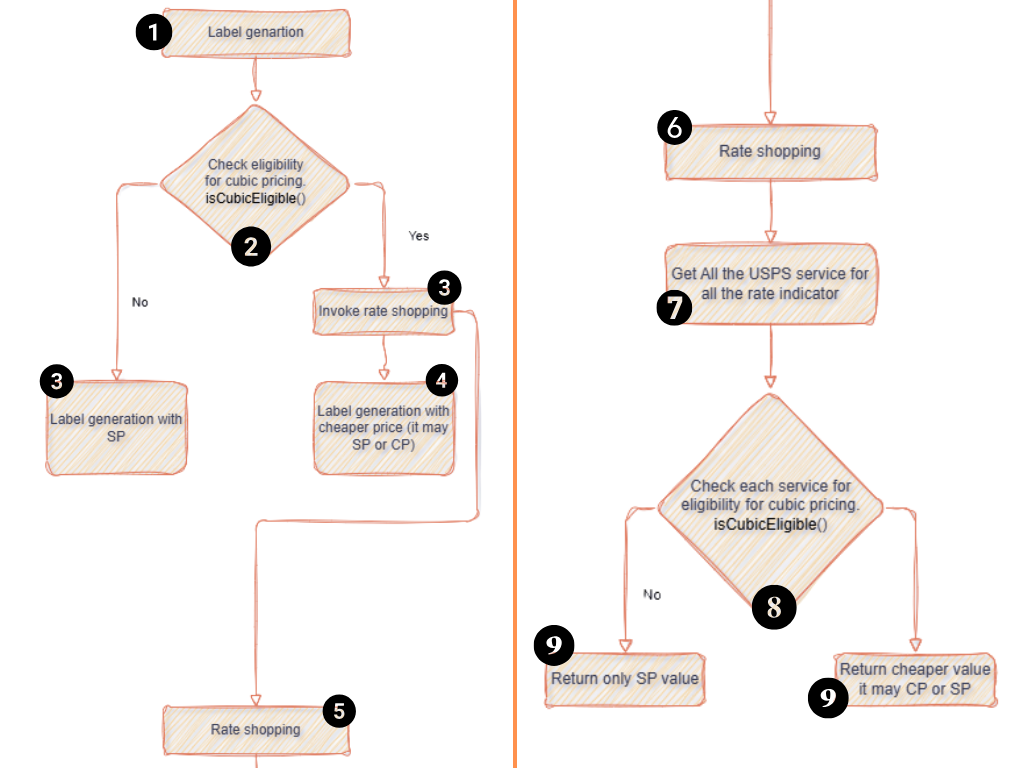
Most shipping software stops at "we support cubic pricing" without explaining what that actually means in practice. Here's exactly what Shipkasa does every time you generate a label:
Step 1 — Create or import an order
- Orders come in from your connected store. Nothing manual required.
Step 2 — Automatic eligibility check
Shipkasa immediately runs a background check against all four cubic pricing criteria. This happens behind the scenes — no input, no configuration, no decision required from your team.
- If the package is not eligible: Shipkasa generates the label at the standard USPS rate and moves on.
- If the package is eligible: Shipkasa doesn't stop there.
Step 3 — Rate shopping across every USPS service
- When a package qualifies, Shipkasa triggers a rate comparison across all available USPS services — Priority Mail, Ground Advantage, and others. For each service, it runs the cubic eligibility check individually.
- Why per service? Because cubic pricing applies differently depending on the service type. A package might qualify for cubic pricing on Ground Advantage but not on Priority Mail. Shipkasa checks each one separately to make sure you're getting the best possible rate across the full range of options.
Step 4 — The lowest rate, instantly
Shipkasa presents you with a single number: the cheapest available rate for that shipment.
- Cubic pricing applies → the cubic price is returned
- Cubic pricing doesn't apply → the standard price is returned
You see the best option and print the label.
See Your Actual Savings
Shipkasa checks every package for cubic eligibility automatically, runs rate shopping across all USPS services, and returns the single cheapest option every time. No manual work. No configuration required. No savings left on the table because someone forgot to check. Want to know how much cubic pricing could save on your current shipment profile? Book a free 20-minute demo and we will run your actual orders through the Shipkasa rate engine LIVE — real numbers, real shipments, no obligation.
→ Book your free demo: https://www.shipkasa.com/book-demo